By GamGem ResearchLast updated 8 Oct 2026
Valve, 2 Oct 2026: “Fixed grenade crosshair rendering when crosshair thickness is set to 3 pixels. · Updated workshop convars whitelist with the new crosshair settings.” Valve’s note · old CSGO- codes still decode here.
CS2 Crosshair Generator — Codes, Commands and Preview
Editing visually · the code updates live
Start from a problem
Verify in game
Share code
CSpb9t3x5NtrX5fWaENsr8vusEtwpiURjzqauLkOiYHMqFcurrent CS format · checksum set · made in your browser91
96
77
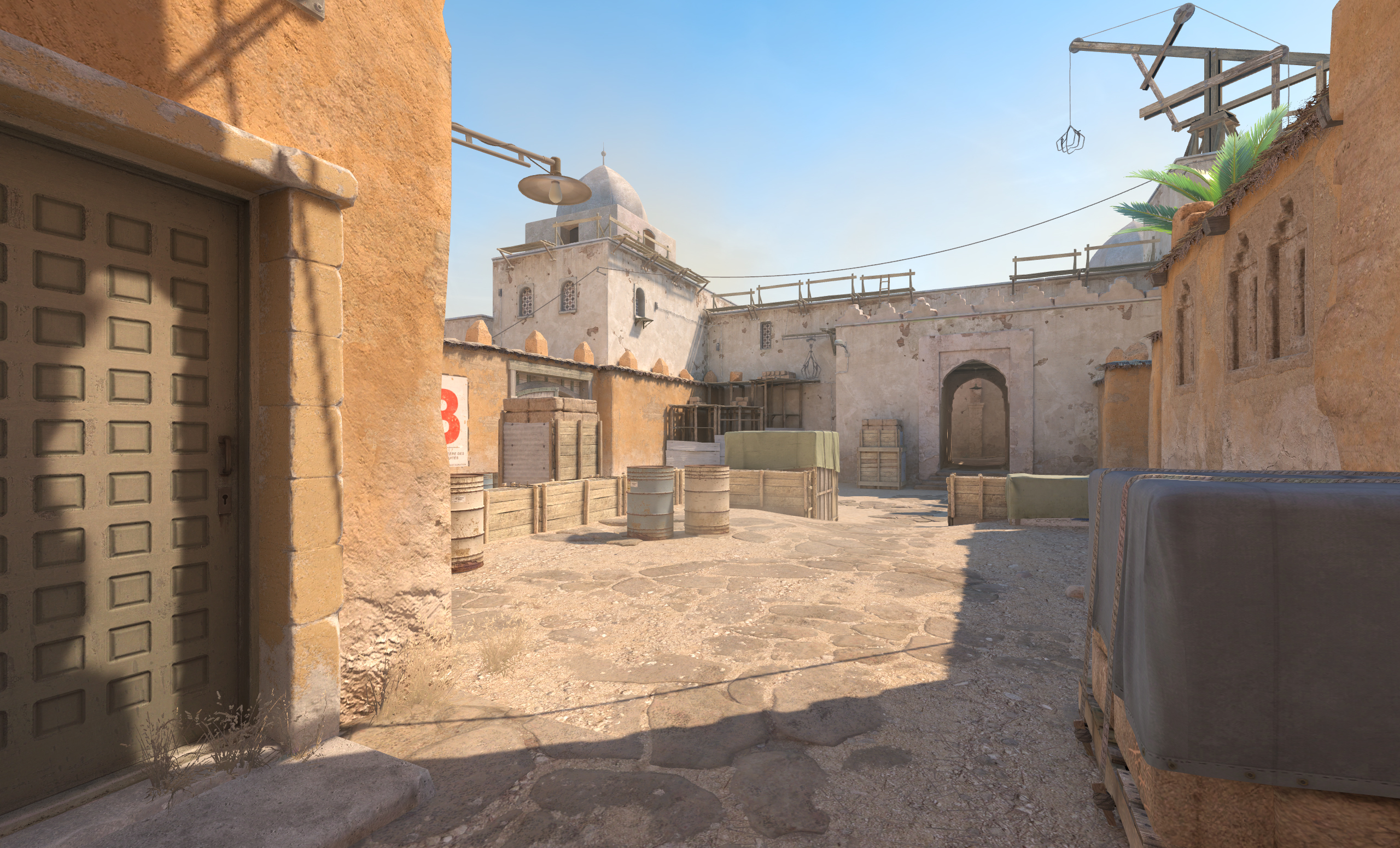
Contrast fingerprint 6 backgrounds · our score
91Light Dust
96Dark Wall
60Mid Gray
81Blue Sky
72Sand Stone
77Noise
91
- Average
- 79.5
- Lowest
- 60 · Mid Gray
ColourCustom red, green, blue — the scores below say how it reads.#00FF00
OutlineDraw a black outline around the crosshair for better visibility
Centre dotDraw a dot at the center of the crosshair
T-styleT-style crosshair: hide the top bar
Follow recoilCrosshair follows the weapon's predicted recoil (aim punch)
Sensitivityyaw 0.022 (Valve)
eDPIDPI × sensitivity — compares setups.1000
cm / 360°Mouse travel for one full turn.41.56
inches / 360°The same, in inches.16.36
Equivalent sensitivity 0.625
Sensitivity there: 0.393 · yaw 0.07 · same DPI, hip-fire only
cm/360 = 2.54 × 360 ÷ (DPI × sensitivity × 0.022) — the formula’s sourceCrosshair codes to start fromours, not any player’s
- Valve defaultDynamic Quad, as the game ships it since 2026-09-22.
CSpb9t3x5NtrX5fWaENsr8vusEtwpiURjzqauLkOiYHMqF - Small static crossNever moves; small enough to see a head behind it.
CSNHC8SKvuhP7YmfbZHo8sbXQ3P72pRAqzxMicxwD4C78D - Static cross with dotA centre dot for tapping at range.
CSUtb4TjhJYKkUNddiMJUFGzbAHEx3shb2ckmsydf244dO - Dot onlyNothing but the centre — for players who aim by feel.
CSRQQLk8NXF7wKrRJPPU37odVrxyVJihreTNJXx2zvMFhF - T-styleNo top bar, so a head above the centre stays in view.
CSuUEUFHpOEbPZOESwKpdQSm5uJdk7O9TvTM9fnH379hkX - For bright mapsThick, opaque and outlined — reads on sand and sky.
CSVbhjqtnSRy8NLMhBLpEQYNPF3nBO9t7EPe7TR5LvxPYE - Static circleA ring that frames the target instead of crossing it.
CSXvobdNdrBz3xubOaGA4j7jZS84RPoUHL5uv2J4LvxPYE - Static squareThe 2026-09-23 shape — a box around the centre.
CSPDeuOXki7TFMYJ7mTHsXocnHTYoZdzu6H5UKyZBRep8E
ViewmodelFOV 60
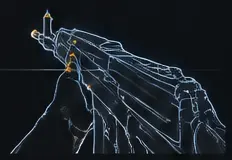
viewmodel_fov 60
viewmodel_offset_x 1
viewmodel_offset_y 1
viewmodel_offset_z -1
cl_prefer_lefthanded false
Changed values0 of 24 differ
No differences.
Config file0.9 KB
// My CS2 setup — made at gamgem.com // crosshair · CSpb9t3x5NtrX5fWaENsr8vusEtwpiURjzqauLkOiYHMqF cl_crosshairstyle 7 cl_crosshair_recoil 1 cl_crosshairdot 0 cl_crosshair_t 0 cl_crosshaircolor_r 0 cl_crosshaircolor_g 255 cl_crosshaircolor_b 0 cl_crosshaircolor_a 255 cl_crosshair_drawoutline 1 cl_crosshairoutline_r 0 cl_crosshairoutline_g 0 cl_crosshairoutline_b 0 cl_crosshairoutline_a 255 cl_crosshair_gap 4 cl_crosshair_length 8 cl_crosshair_thickness 2 cl_crosshair_dynamic_spread_limit 255 cl_crosshair_dynamic_splitdist 3 cl_crosshair_dynamic_splitalpha_innermod 0 cl_crosshair_dynamic_splitalpha_outermod 1 cl_crosshair_dynamic_maxdist_splitratio 1 cl_crosshair_screen_height 1080 cl_ironsight_usecrosshaircolor 0 cl_ironsight_dot_scale 1 // mouse sensitivity 1.25 zoom_sensitivity_ratio 1 // viewmodel viewmodel_fov 60 viewmodel_offset_x 1 viewmodel_offset_y 1 viewmodel_offset_z -1 cl_prefer_lefthanded false host_writeconfigSave it as autoexec.cfg in the game’s cfg folder, or paste the lines into the console.
Undo timelinethis browser only · last 30
Ask & explain
Valve changed the code on 30 Sept 2026 — “Changed the format of the crosshair share code”. Old codes still decode here; CS:GO-era values no longer apply after the 22 Sept 2026 rebuild.rows: Valve’s crosshair notes
What tracked pros useshares only · never a name
eDPI — median
800csdb.gg · 820 players · data 2026-10-05eDPI — median by role
Rifler: median 800; AWPer: median 840; IGL: median 802csdb.gg · data 2026-10-05eDPI — band shares
- 200–4000%
- 400–6009%
- 600–80029%
- 800–100040%
- 1000–120014%
- 1200–14005%
eDPI — median (all tracked incl. coaches/inactive)
800csdb.gg · 1007 players · data 2026-10-05eDPI — median
830prosettings.net · 941 players · data 2026-09-25CSDB (S4) median 800 vs ProSettings (S11) median 830 — different player sets and sweep dates.cm/360 — typical pro range
35–75 cm/360, bulk 45–60 cm/360 (eDPI 700–1000)csdb.gg11 more figures — resolutions, scaling, the other aggregator
DPI — shares
- 40047%
- 80045%
- 16005%
- 32001%
- 10000%
- 5000%
DPI — shares
- 40066%
- 80028%
- 16005%
In-game sensitivity — most common raw values
- 29%
- 19%
- 1.255%
- 1.14%
- 1.73%
- 1.53%
Aspect ratio — shares
- 4:378%
- 16:913%
- 5:45%
- 16:104%
- 5:30%
Resolution — shares
- 1280x96061%
- 1920x108012%
- 1024x76810%
- 1280x10245%
- 1440x10804%
- 1152x8643%
Scaling among 4:3 players
- Stretched90%
- Black Bars10%
- Native0%
Resolution — shares
- 1280x96053%
- 1024x76815%
- 1920x108013%
- 1280x10246%
- 1152x8645%
Crosshair colour — shares
- Custom (RGB)37%
- Green30%
- Cyan25%
- Yellow7%
- Red0%
- Blue0%
Crosshair dot / outline / negative gap
- centreDot9%
- outline12%
- negativeGap98%
Crosshair style — as recorded by source
- Static Cross53%
- Classic Static43%
- Static Circle2%
- Dynamic Cross (Legacy/Shot Feedback)1%
- Legacy0%
- Dot Only0%
Crosshair share-code reuse
- shareOnSharedCode14%
Video settingsmost are menu-only
- Boost Player Contrastchanges what you seeMenu only — no console variable · Disabled / EnabledValve: “Improves the legibility of players in low contrast situations. Enabling Boost Player Contrast can degrade graphics performance.”
- Brightnesschanges what you seeConsole: r_fullscreen_gammaValve: “Change the gamma correction of in-game rendering, adjusting overall brightness.”
- Resolution / Aspect ratiochanges what you seeMenu only — no console variableValve: “Normal 4:3 / Widescreen 16:9”
- Global Shadow Qualityguides disagreeMenu only — no console variable · Low / Medium / High / Very HighValve: “Global Shadow Quality”CSDB says Medium–High; ProSettings and GGRecon say Low.
- Dynamic Shadowschanges what you seeMenu only — no console variable · Sun Only / AllValve: “Select the light sources for which dynamic objects such as players and smoke cast shadows. "Sun Only" can improve graphics performance but might leave you at a competitive disadvantage, particularly indoors.”ProSettings 'All' vs CSDB 'Sun Only'; Valve's own tooltip warns Sun Only may be a competitive disadvantage. GGRecon (2024-04-24) predates the setting.
- Particle Detailchanges what you seeMenu only — no console variableValve: “Particle detail controls the complexity of particle effects and whether particles cast shadows. Higher settings increase visual quality but can degrade graphics performance.”
- Model / Texture Detailguides disagreeMenu only — no console variable · Low / Medium / HighValve: “The model / texture detail setting controls the resolution of textures and geometric complexity of models in the game. Decreasing this setting may improve performance on low-end systems, but will degrade image quality.”Low vs Medium vs High across three guides.
- High Dynamic Rangeguides disagreeMenu only — no console variable · Performance / QualityValve: “High Dynamic Range (HDR) controls the range of brightness between the brighest and darkest pixels. Choosing Performance decreases the quality of HDR rendering but potentially increases performance and reduces GPU memory use.”
- FidelityFX Super Resolutionchanges what you seeMenu only — no console variableValve: “FidelityFX Super Resolution may improve performance by rendering at reduced resolution and upscaling using a high-quality spatial technique.”
- Anti-aliasing (MSAA / CMAA2)minorMenu only — no console variableValve: “Anti-aliasing provides a smooth appearance at the edges of geometry, eliminating jagged edges. Increasing anti-aliasing quality can degrade graphics performance.”r_csgo_cmaa_enable exists in the dump but is 'developmentonly' (not usable in retail)
- Shader Detail / Ambient Occlusion / Texture FilteringcosmeticMenu only — no console variableValve: “Calculate lighting using Ambient Occlusion. Enabling Ambient Occlusion can degrade graphics performance.”
What changed in the crosshairValve’s notes
- 2 Oct 2026 · Counter-Strike 2 Update“Fixed grenade crosshair rendering when crosshair thickness is set to 3 pixels. · Updated workshop convars whitelist with the new crosshair settings.”
- 30 Sept 2026 · Counter-Strike 2 Update“Added crosshair outline color option. · Added a new style "Static Quadrant".”
- 23 Sept 2026 · Counter-Strike 2 Update“Some additional information about the new crosshair system:. · The new crosshair thickness and length units are in pixels. In the past, the values were defined with an arbitrary scale and converted to pixels based on display resolution so the same value would result in different pixel counts at different resolutions. With the new settings, if you want a 1-pixel wide crosshair with a bar length of 8 pixels and a gap of 4 pixels, then you would set: thickness = 1, length = 8, and gap = 4.”
- 22 Sept 2026 · Counter-Strike 2 Update“Crosshairs have been updated to be resolution independent. · A new "Crosshair/Scopes" tab is available in the Settings menu, and includes updated crosshair settings.”
- 22 Sept 2026 · Rush Hour“But wait, there's more! Crosshairs have gotten a significant upgrade with new shapes and other features, so check out the new Crosshair/Scopes settings and create the custom crosshair of your dreams. Also, Clan Tags are back! Select one of your Steam Groups in your player profile and you'll see your clan tag appear next to your name wherever you play.”
- 22 Jan 2025 · Counter-Strike 2 Update“Follow recoil setting during spectating will now obey spectator target's crosshair setting if target's crosshair is shown.”
- 24 Mar 2023 · What is Follow Recoil in Counter-Strike 2? New setting explained — Dexerto (secondary, not Valve)“Counter-Strike 2 was stealthily added a new crosshair feature to the game, Follow Recoil.”
- 25 Feb 2020 · Patch Notes“Choose Your Own Crosshair. · Customizing your crosshair has never been easier. Head over to the settings menu, where you’ll find a variety of crosshair settings that can be tuned to your personal taste. You can share your crosshair code with others or import a code to try someone else’s.”
Codes this page reads
- CS + 44 characters
- Current — since Valve’s 30 Sep 2026 update. Outline colour, negative gaps, the scope dot.
- CSGO- · version 4
- 23 Sep 2026 — half outlines and Static Square.
- CSGO- · version 3
- 22 Sep 2026 — the rebuild to whole pixels.
- CSGO- · version 1
- The CS:GO-era code — old-scale values the game no longer reads.
Every default and help line from Valve’s command dump · codes made and read in your browser · the pros only as shares, never a name · the previews approximate CS2’s drawing — verify in game.